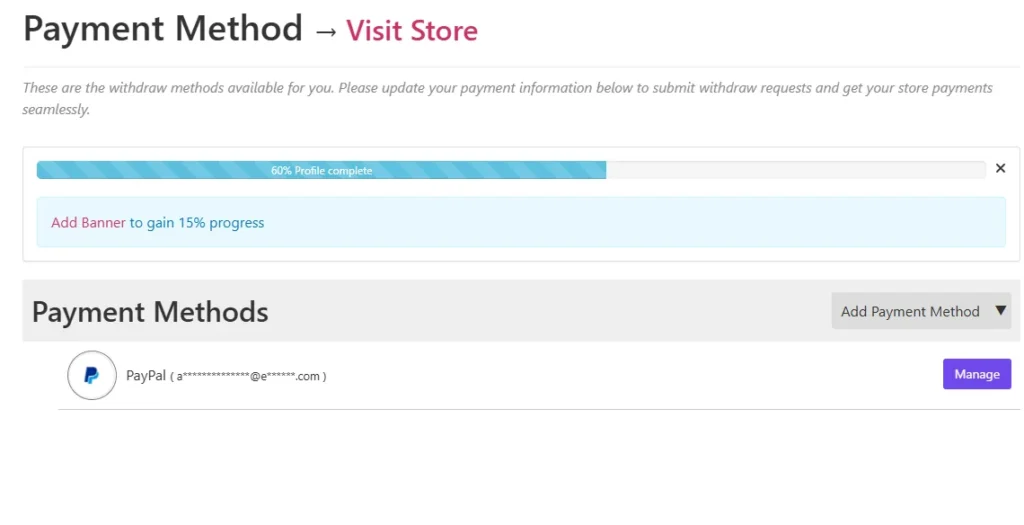
How you get paid
Fees, your balance, and how to request a payout.
What it costs
- We keep 35% of each sale. The rest is yours.
- No fee to join, to list products, or to get paid.
Your balance
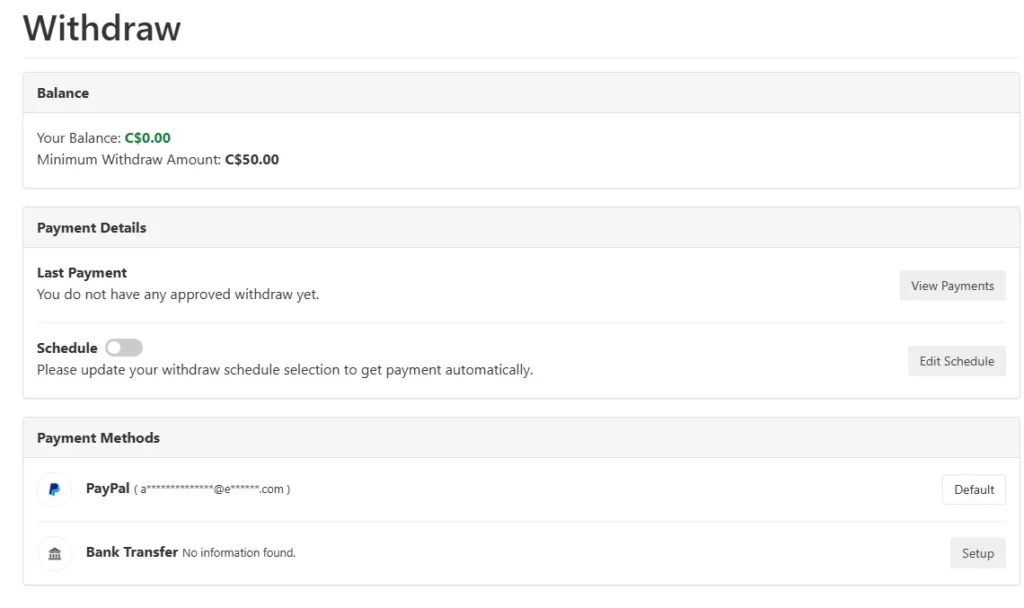
When an order is completed, your share is added to your balance. Go to Withdraw in your dashboard to see Your Balance and the Minimum Withdraw Amount (US$50).
Turn on your payouts (once)
- Add your payout details first: dashboard, Settings, Payment. Use Add Payment Method or Manage. You can be paid by PayPal or bank transfer.
- Go to Withdraw and switch on Schedule.
- Tap Edit Schedule, choose your Preferred Payment Method and tap Change Schedule.
That's it. Your balance is paid out twice a month (on a Thursday) whenever it's at least US$50. The Withdraw page shows the date of your next payment.
Each sale is held for 30 days after the order before it can be paid out. That covers the shopper's return window, so you are only paid for sales that can no longer be refunded.
We send the money and email you when it's on its way.